Howdy, Stranger!
It looks like you're new here. If you want to get involved, click one of these buttons!
Quick Links
Missing polygon point after substraction of two rectangles leads to "flagging" artefact

in Layout
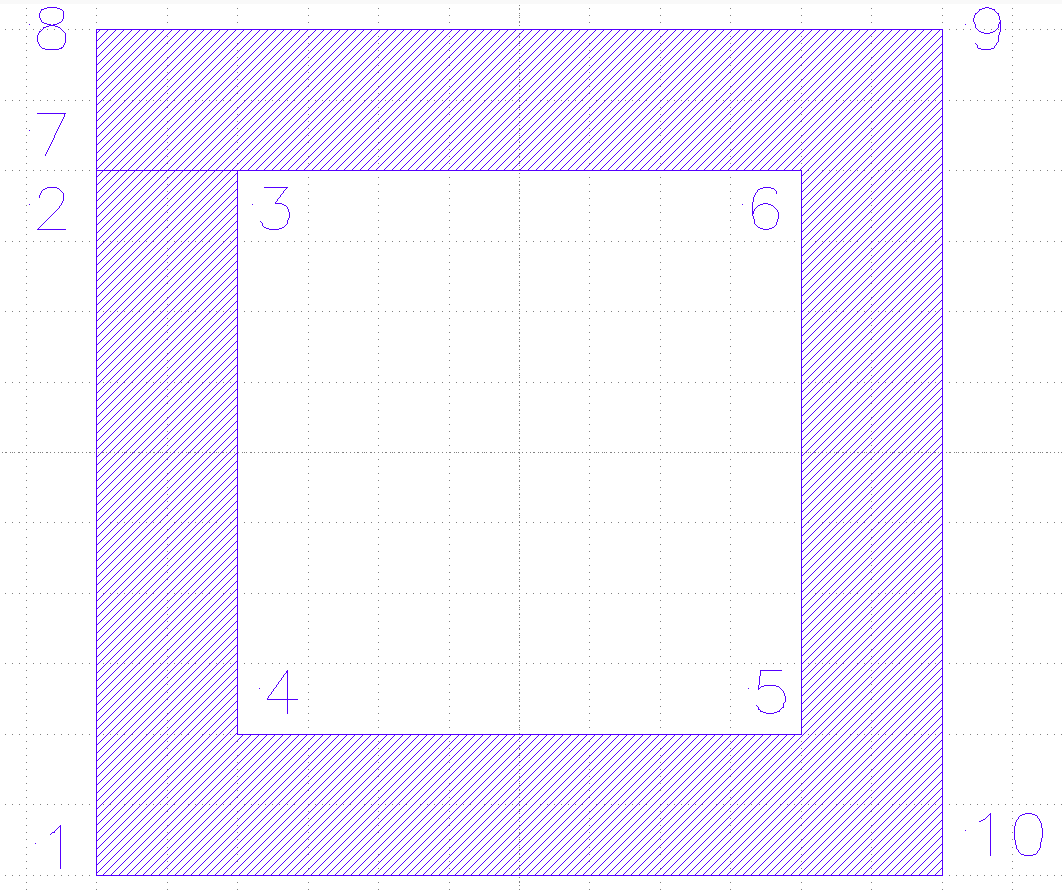
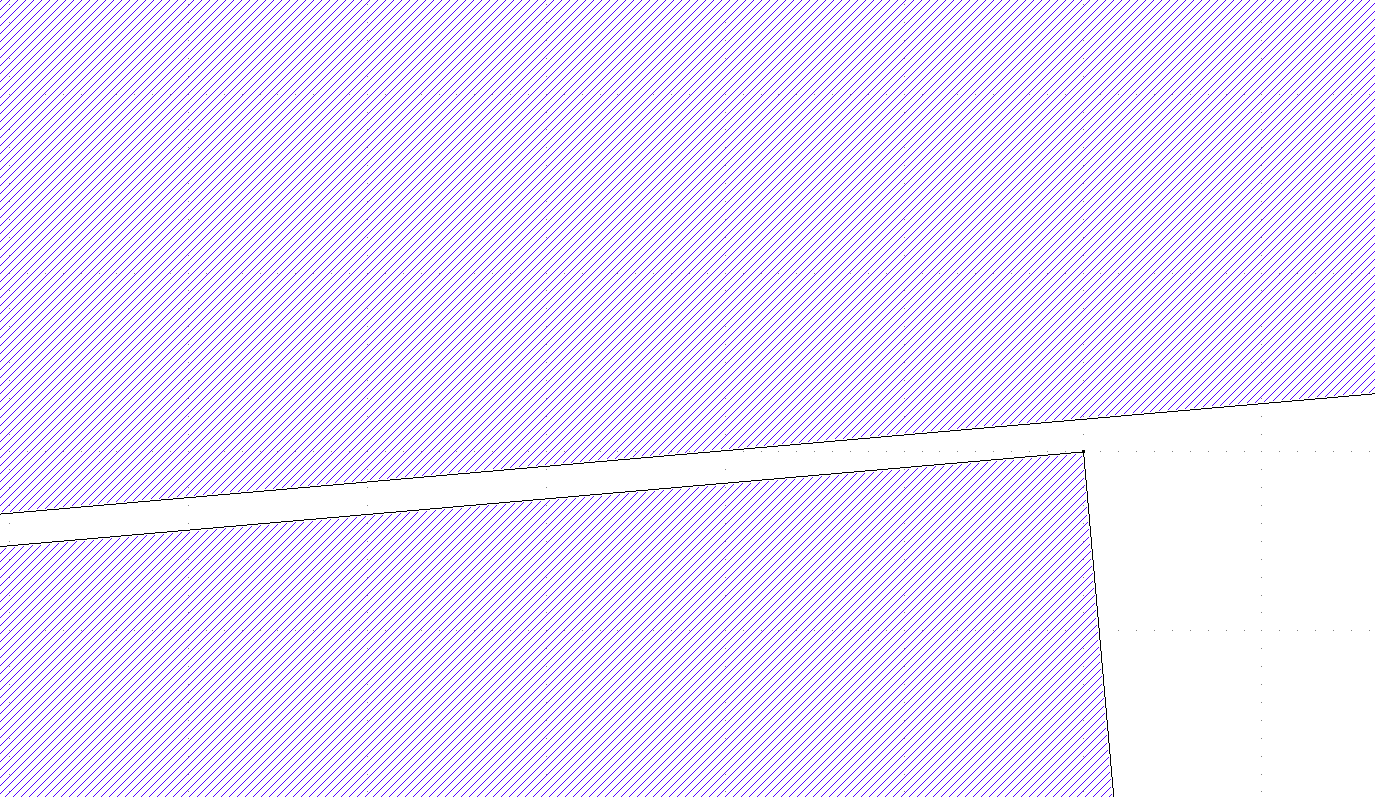
When I substract or XOR two rectangles, Klayout transforms this into a polygon with a hole, as shown in the sketch below. I added the numbers to show the order of the polygon points for this example. When I now apply a rotation to the polygon, a small gap along the line between points 2 and 3 appears. I assume this is due to snapping of the points to the grid, which leads to slightly different angles for the lines 2-3 vs. 6-7.
This "flagging" artefact could be overcome if point 3 was included as an additional point between 6 and 7. Is there a way to tell KLayout to do so in the substraction algorithm?
Thanks for any assistance with this.
Comments
Hello,
This is indeed a snapping issue as explained above. Not sure if 3 or more points on one line are kept except for the outer two... Why not rotating the two rectangles first and do the subtraction at the end?
Cheers,
Tomas
Hi @ChristianP,
A rotation by any angle will induce snapping as @tomas2004 explained. I think his approach is the right one.
Problem is that the rotation is "stupid" and does not remove the cut line before rotation.
Using a short DRC script you can merge all shapes on a layer - this will create polygons with holes which rotate without this artefact:
However, this function has side effects: it will merge all shapes, turn boxes and paths into polygons and combine overlapping shapes. If you do not want that, here is a Python script that merges selected polygons into ones without cut lines:
Note that on saving to GDS or OASIS, the cut lines will re-appear as GDS does not have polygons with holes.
Matthias