Howdy, Stranger!
It looks like you're new here. If you want to get involved, click one of these buttons!
Quick Links
Editor Options showing empty in 0.30.5 version

Editor Options is not working, only press "move" button, it is appear editor options as usual.
Comments
Please be more specific. What exactly are you doing? Screenshots, anything. Also try "View/Restore window" to reset any skew settings.
Thank you for your response, When I want to select the graphic inside cell A, I have to uncheck the "select top level objects only" option. At this point, the "editor editing" window on the right side will be completely blank. Only after clicking "move" first, can I see the checkable items in the "basic editing" section, Thank you very much.
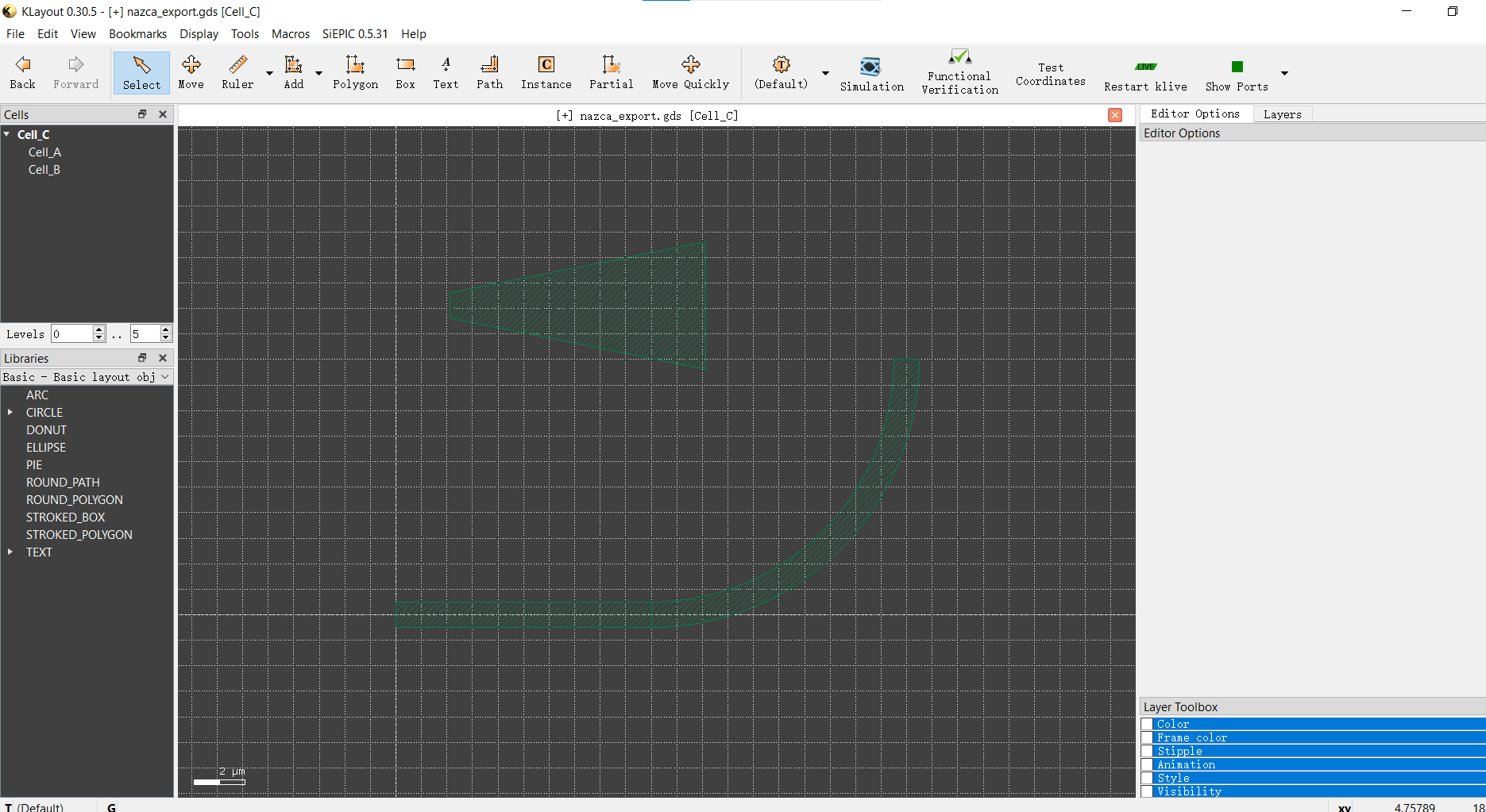
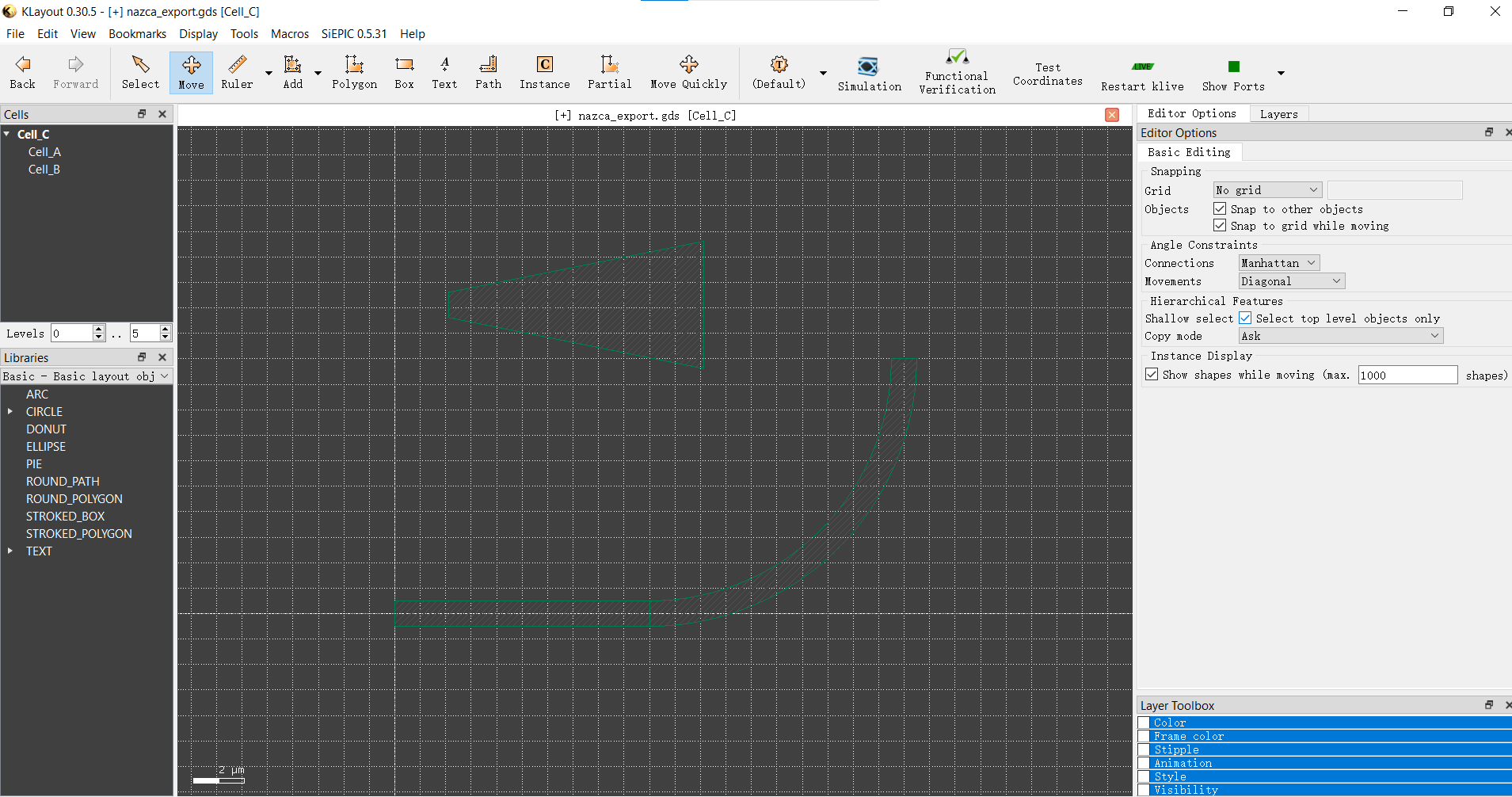
The "Select" tool does not have options. That's why none are shown.
Matthias
This may have been covered subsequently, but SELECT needs the "Move" "Editor Options".
Users cannot select Artwork below the top level until the Move -> Editor Option -> Select Top Level Objects Only has been de-asserted.
The user should have the same "Basic Editing" Options in Select as Move.
It's non-obvious to go into the Move Menu to make Select work as intended.
Cheers.
"Select top level objects" is also in the "View" menu, so you don't need to have that in the editor options.
But the hierarchical features block in general can go into the "Select" tool options as well.
I'd appreciate if you create tickets on GitHub (https://github.com/KLayout/klayout) for these kind of request. This is a forum, not an issue tracker.
Matthias
Are there setup options which could make the
"need to de-assert" instead be default-to? Or is
it a thing that one line in a startup script (?) can
sort?